Two agents, two different answers
Duplicates get picked up in parallel. The customer gets conflicting replies and your agents redo each other's work.
Free Auto Merge
Free Auto Merge (formerly Auto Merge 2025) is a free Zendesk app that merges duplicate tickets automatically, using rules you set. When the same customer asks about the same issue on email, WhatsApp or chat, your team gets one ticket instead of three.
#48213 · Email 09:12
Where is my order #10482?
#48219 · WhatsApp 09:20
Still waiting on order #10482
Rule
Same customer, same issue (72h)
#48219 matches the rule, so it is merged into #48213 and tagged auto_merged.
The customer's latest reply is copied to #48213. One agent, one answer.
Free
Unlimited rules and merges
$0
No per-agent fees
< 1 min
Setup, no triggers to write
SOC 2
Type II certified
Problem
Customers who don't hear back fast ask again on another channel. Zendesk opens a new ticket each time, and your team pays for every copy.
Duplicates get picked up in parallel. The customer gets conflicting replies and your agents redo each other's work.
Every duplicate counts in your queue, first-reply time and resolution reports, so the numbers look worse than the real workload.
How it works
Every new ticket is checked against your active rules. Matches are merged into the open ticket within a couple of minutes, around the clock.
Auto Merge checks it against your rules. Same requester, inside the time window, plus any other fields you chose.
It is merged into the primary ticket with an internal or public note, resolved as Solved or Closed, and tagged auto_merged.
The customer's latest reply is copied to the primary ticket. Tickets that match no rule go to your team as usual.
Product walkthrough
See a WhatsApp follow-up merged into the original email ticket, and the rules that decide what counts as a duplicate.

Demo walkthrough
The same customer asks twice, eight minutes apart, on two channels. Auto Merge merges the second ticket into the first.
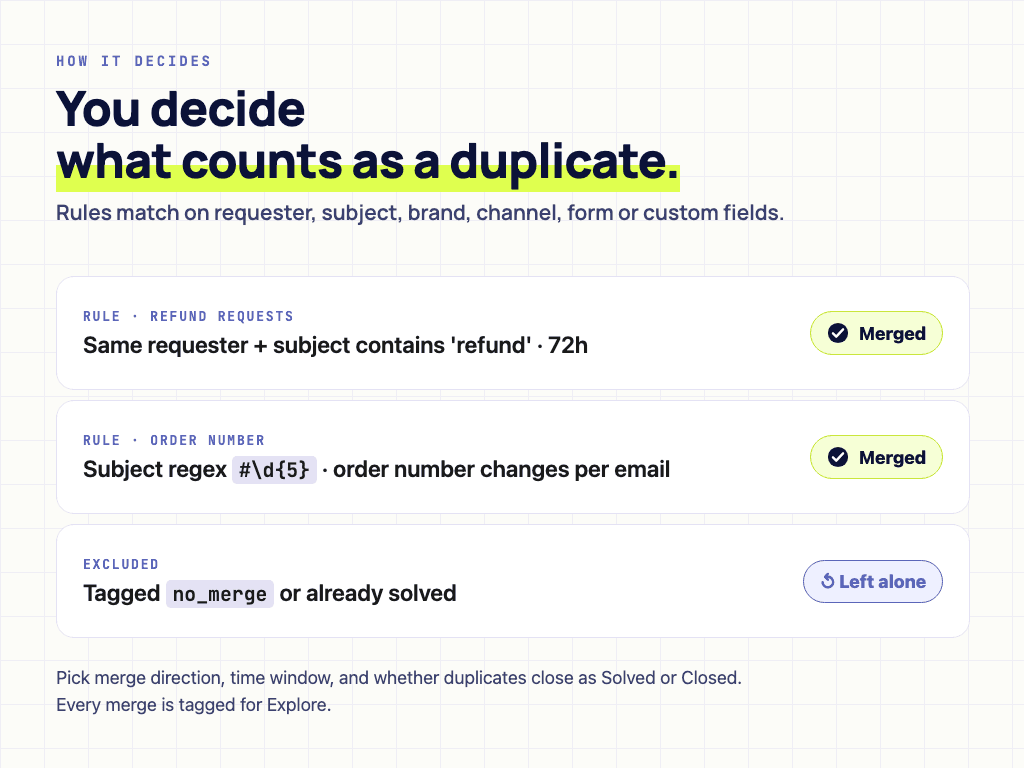
Match on subject text or a regex for changing order numbers, and leave tickets tagged no_merge alone.
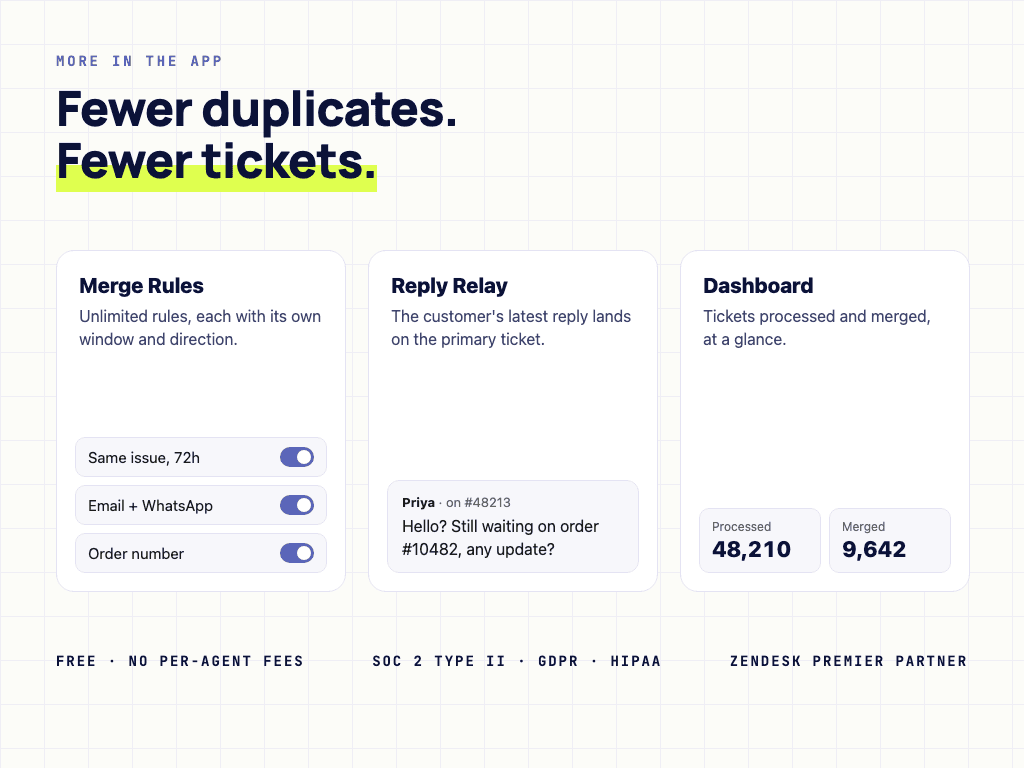
Unlimited rules, the customer's latest reply on the primary ticket, and merge counts at a glance.
Controls
Choose merge direction, time window and how duplicates are resolved. Add the no_merge tag to any ticket the app should skip, and exclude statuses such as solved or closed.
Requester, subject (full match, contains or regex), brand, channel, ticket form and custom fields, inside a time window you set.
The customer's latest message always lands on the ticket your agent is working, so nothing they wrote is missed.
Every merged ticket is tagged auto_merged, so Explore shows exactly how many duplicates you removed.
Install through Zendesk Marketplace and keep procurement simple.
SOC 2, ISO 27001, GDPR, and HIPAA documentation is available for review.
Customer content is processed for the workflow and is not used to train models.
Pricing
Start from the marketplace plan, then move to enterprise support when security review, custom terms, or higher-touch support become part of the buying process.
Free plan
Every feature, for every agent on your Zendesk account.
Enterprise plan
For teams whose security and legal review needs paperwork and support guarantees.
FAQ
Short answers for setup, pricing, security, and control.
Marketplace ready
Start from Zendesk Marketplace, then book a setup call if you want help matching the app to your team’s ticket workflow.